
Overview
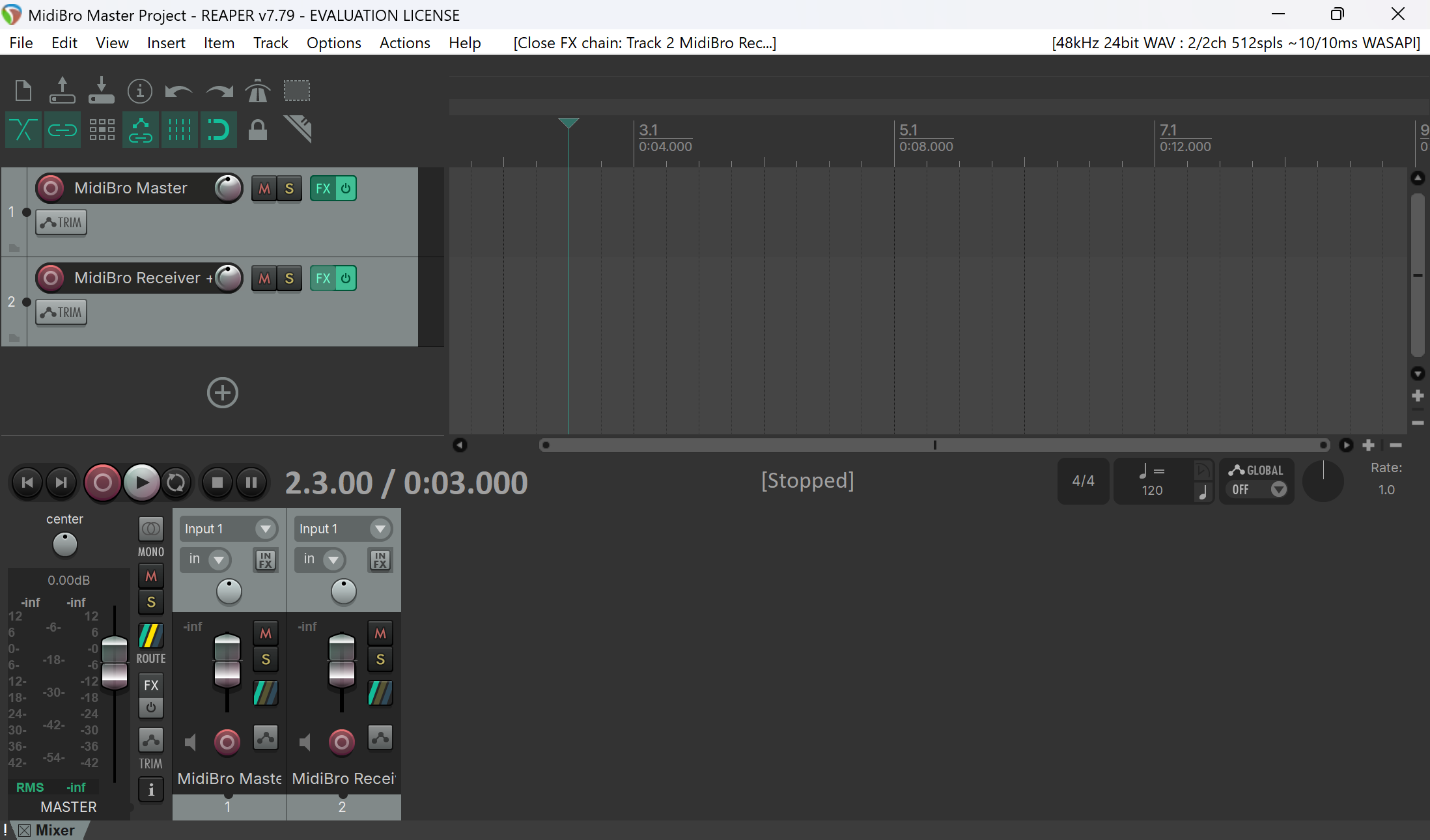
MidiBro is plugin-only (no standalone app). In Reaper you use two of the MidiBro plugins, both VST3:
- MidiBro Master: the browser and controller. Browse the library, build MidiStack rows, and launch cells here. By itself it makes no sound beyond its built-in preview synth.
- MidiBro Receiver: a MIDI-FX plugin that plays a MidiStack row into whatever instrument follows it on the same track.
Master and Receiver connect automatically. There is no MIDI cabling to draw in Reaper.
There are two ways to get sound, and you can mix them in one project:
- Straight from the Master. Put your instrument right behind MidiBro Master in that track’s FX chain, then set the Master’s browser target to This track. No Receiver needed, good for a single instrument.
- Through a Receiver. Add MidiBro Receiver before an instrument on any other track, and route a MidiStack row to that Receiver by name.
Prerequisites
- REAPER 7 or newer, with a working audio output device set in Options -> Preferences -> Audio -> Device.
- MidiBro Master VST3 and MidiBro Receiver VST3.
- Windows:
C:\Program Files\Common Files\VST3\(vendor: ivoschi) - Mac:
/Library/Audio/Plug-Ins/VST3/ - Linux:
/usr/lib/vst3/(the .deb package puts them there)
- Windows:
- At least one instrument plugin (VST/VSTi or VST3i).
Setup
- 1#
Create a track for the Master, open its FX chain and add, in this order: MidiBro Master (VST3i), then your instrument. For a single instrument this pair is enough.
- 2#
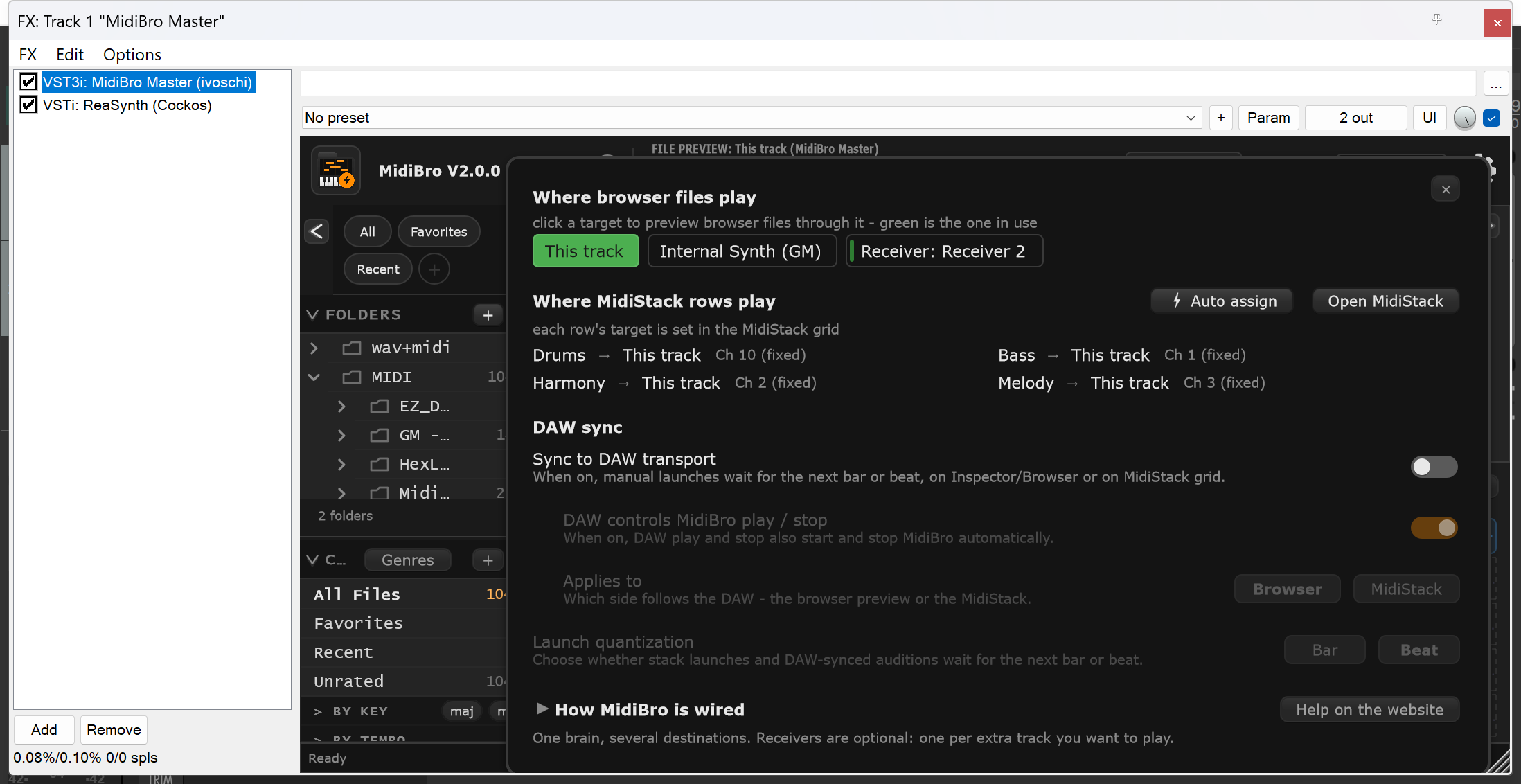
Open Reaper setup inside MidiBro Master and set Where browser files play to This track. If Internal Synth (GM) stays selected instead, MidiBro plays its own GM sound rather than the instrument behind it.
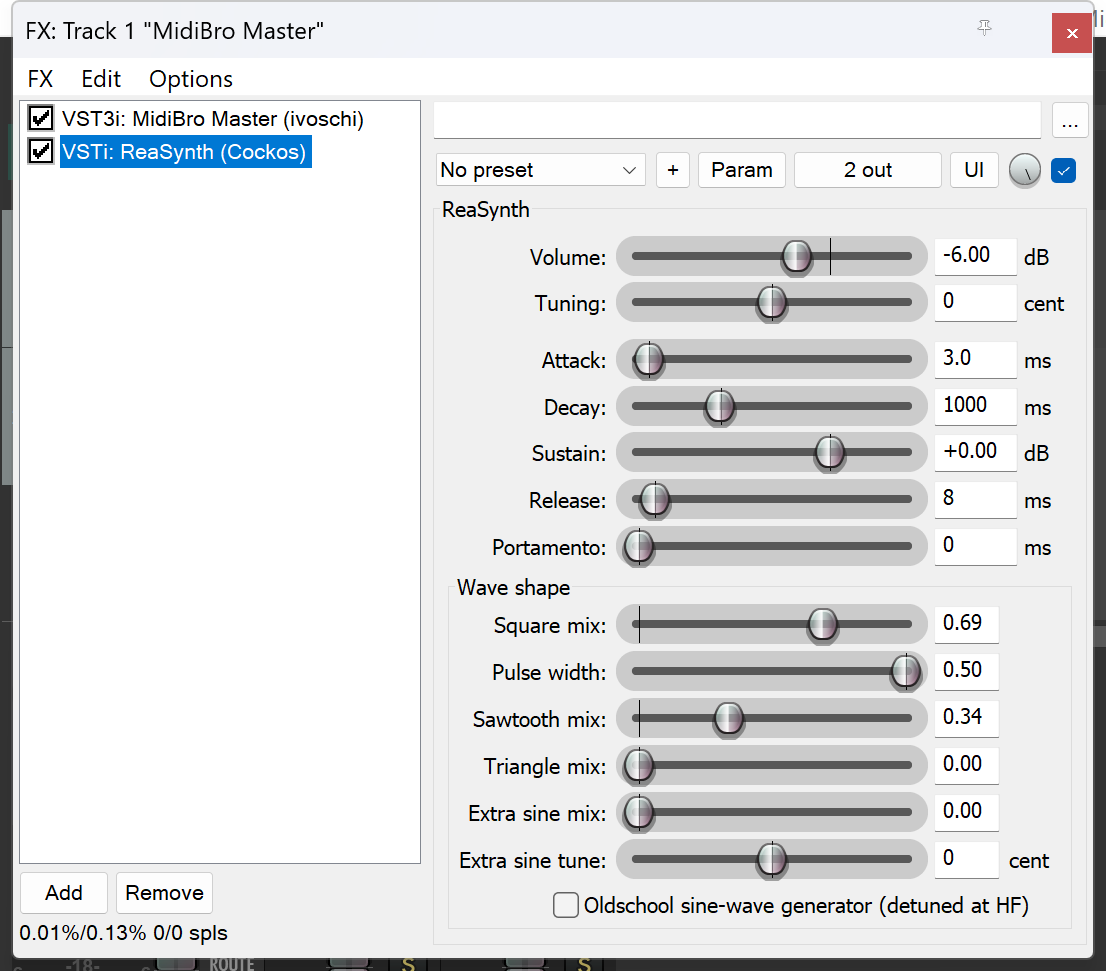
MidiBro Master followed by a ReaSynth in one track’s FX chain - 3#
For each additional instrument, create another track and add, in this order: MidiBro Receiver (VST3), then that instrument. The Receiver’s header should read Connected · ready.
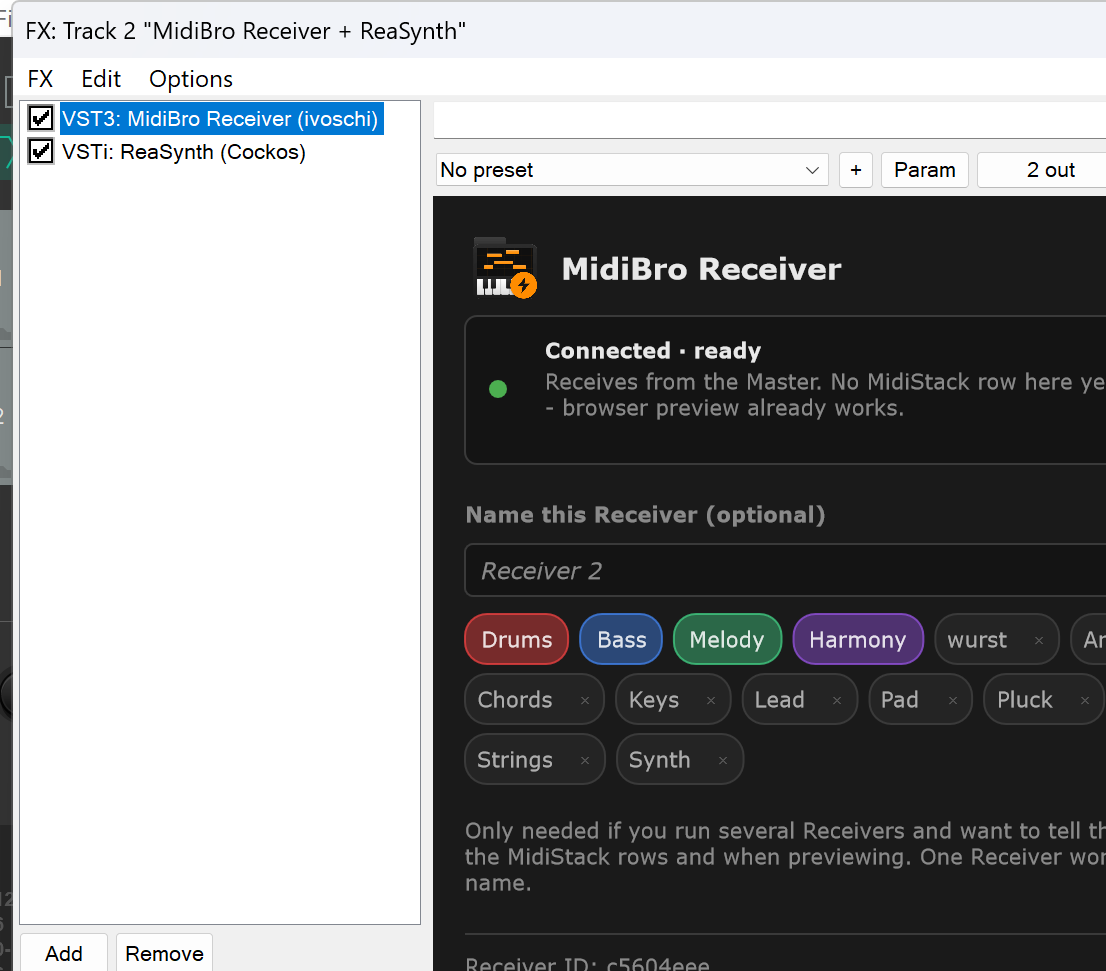
MidiBro Receiver followed by a ReaSynth on another track - 4#
Back in the Master’s Reaper setup, route a MidiStack row to that Receiver by name, or use Auto assign.
- 5#
Start a browser preview or launch a MidiStack row, and the instrument plays.
Which plugin variant
Use MidiBro Receiver, the VST3 MIDI-FX build, placed before the instrument in the same FX chain.
Troubleshooting
| Problem | Solution |
|---|---|
| MIDI activity but no sound | Confirm an instrument follows Master or Receiver in the same FX chain, and that the FX and track are not disabled or muted |
| Internal Synth (GM) plays, but the instrument behind the Master stays silent | Select This track in Reaper setup, and confirm the order is Master -> instrument, not Internal Synth (GM) |
| The Receiver track is silent | Confirm the order is Receiver -> instrument, and that the Receiver shows Connected · ready |
| Playback waits instead of starting immediately | Sync to DAW transport is on. Start the REAPER transport, or turn sync off for an immediate test |
| Plugin not found | Rescan: Options -> Preferences -> Plug-ins -> VST -> Re-scan |